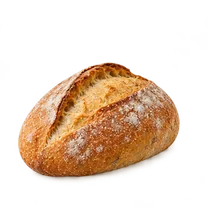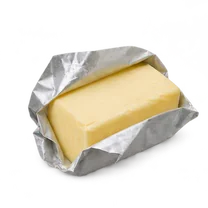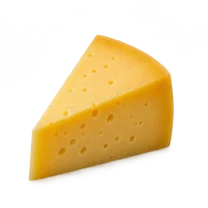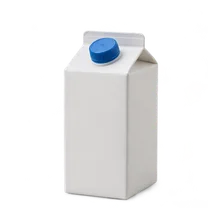


The shared shopping list for your householdEveryone adds. Anybody shops.

The list on the fridge door, in everyone’s pocket. Add what is running out, with a picture so the right one comes home, and tick it off at the shop.

Try the listSee how it works

In private testing on iPhone. Not in the App Store yet.

FridgeWish is a shared shopping list made of pictures, for the people you live with. Everyone adds what is running out; whoever is at the shop ticks it off.

How a list happens

Skip to the preview
  1. 1 On the door

    It starts where lists always have.

    A pad, a clip and a pen on the fridge. FridgeWish keeps the list that simple and puts it in your phone.

  2. 2 Add

    Out of milk? Put it down.

    Pick it from the pictures or type it. Say how much, and add a note so the right one comes home.

  3. 3 Everyone adds

    One list for the whole house.

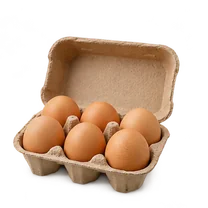
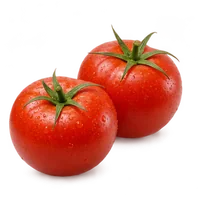
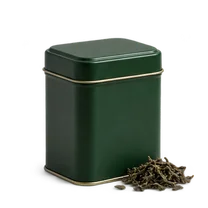
    Sam needs tomatoes for tonight. Noor is out of tea. Each adds it to the same list from their own phone.

  4. 4 Anybody shops

    Tick it off. Tap the usual things back on.

    Whoever is at the shop ticks things off as they go in the basket. Bread again? It waits in your usual things, one tap away.

  5. 5 Make it yours

    Pick your paper.

    Butter & Blue, Sunday Paper, Sage Kitchen, Kraft Pantry, Evening Kitchen. Pick the one that looks like your kitchen. Everyone chooses their own.

  6. 6 In your pocket

    The fridge list that comes to the shop with you.

    The same pad, on the phone of everyone who eats from that fridge.

    Try the list

    In private testing on iPhone. Not in the App Store yet.

It does the fiddly parts.

  • Find the exact one, with its picture.

    Search products and photos without leaving the app, or use a photo of your own.

  • Know roughly what the trip will cost.

    It remembers what you paid last time and adds it up. An estimate, with missing prices marked.

Go on, tick something off.

It looks like the pad on your fridge because that is what it replaces. Every item has its picture.

  • Tap an item to collect it. Tap again to put it back.
  • Tap one of the usual things to add it.
  • Collect the last item and it offers to clear what you bought.
Change the paper

A preview with made-up groceries. Nothing you tap is saved or sent anywhere.

The usual things

Clear 0 bought items?

Anything not bought stays on the list.

Coming soon

Coming with FridgeWish Plus.

An optional plan for the whole household. Not in the app yet, and no date is set.

  • Check it in the shop.

    Set your household to halal, kosher, vegan, vegetarian or organic. Scan a product and FridgeWish tells you what it can read on the label: certification marks and ingredients. Anything missing or unreadable is marked unknown.

  • Scan your fridge.

    Take a photo of a shelf and see what may be running low. Nothing goes on the list until you tick it.

  • Point the camera at it.

    FridgeWish suggests the name and the size. You check it, then add it.

Small household arguments, settled.

  1. Tuesday, 7:10

    “We’re out of milk.”

    Whoever finishes it adds it, there and then. Nobody has to remember to tell anybody.

  2. At the shelf

    “Which one did you mean?”

    Every item has a picture, and room for a note. The big box, not the small one.

  3. Every single week

    “Bread, butter, cheese. Again.”

    The things you always buy wait under the list. One tap and they are back on.

  4. Tonight, 6 pm

    “I need it for dinner.”

    Mark it urgent and it stands apart from the rest until it is in the basket.

Free, with no ads.

The list, and sharing it with your household, are free. The appearances already in the app, and one paper theme, stay free. The other paper themes will be one-time purchases you keep. A paid household plan for the scanner and the other AI features will come later, with a stated monthly limit. Nothing is on sale today, and store prices are not set.

Fair questions.

What is FridgeWish?

A shopping list app for people who share a kitchen: families, couples and housemates. Everyone adds what is needed, with a picture. Whoever goes to the shop ticks things off.

Can I download it?

Not yet. An iPhone test build exists and a small group is using it. There is no App Store or Google Play listing yet, and no date to announce.

Does the shared list work between phones?

Yes. What one person adds or ticks off shows on everyone else’s phone. Changes made without a signal are sent when the phone is back online.

What will it cost?

The list, and sharing it with your household, are free, with no ads. The appearances already in the app, and one paper theme, stay free. The other paper themes will be one-time purchases. A paid household plan for the planned AI features will come later. Nothing is on sale today, and store prices are not set.

Which languages does it speak?

The app has fifteen interface languages: English, Russian, Turkish, Turkmen, Uzbek, Kazakh, Spanish, German, French, Italian, Brazilian and European Portuguese, Polish, Dutch and Ukrainian. The wording is still being reviewed. This website is in English for now.

Can I add things by voice?

Where your phone and your language support speech, yes, and that is being tested. Where they do not, the microphone is simply not shown, and you browse or type instead.

Does it use AI?

Not yet. FridgeWish Plus, an optional plan coming later, will add a scanner that suggests a product from a photo, label checks and suggestions from a photo of your fridge. You check every suggestion before it reaches the list. The list itself needs no AI.

Will it tell me if something is halal, kosher or vegan?

That is coming with FridgeWish Plus. You choose your household’s preferences, such as halal, kosher, vegan, vegetarian or organic. When you scan a product, it reports what it can read on the label, such as a certification mark or an ingredient, and marks anything missing or unreadable as unknown. It cannot verify claims, certify a product or tell whether it is safe for you. If you are unsure, check the original packaging or contact the manufacturer or the certifier.

Is the list on this page real?

No. It is a preview with made-up groceries. Nothing you tap is saved or sent anywhere.

Everyone adds. Anybody shops.

Try the list

In private testing on iPhone. Not in the App Store yet.